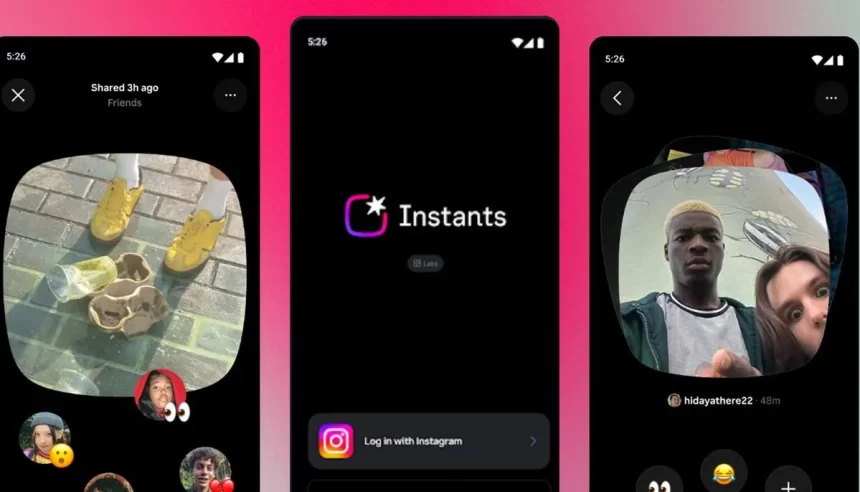
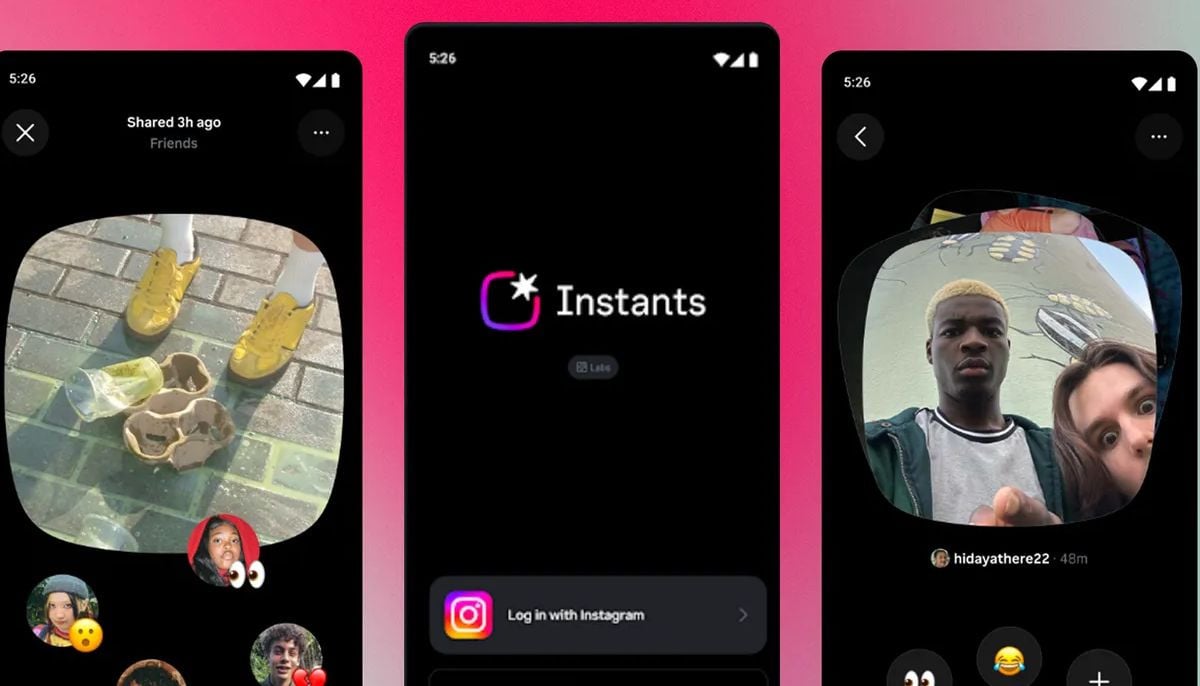
Instagram introduced a new feature named “Instants” on May 13, 2026. However, users have mixed reactions to the feature.
The feature enables users to share unedited, instant photos to followers directly, which disappear after 24 hours. This acts more like sharing quick, raw snapshots of your daily life.
Whereas some people find the spontaneity fun, others have been complaining that the continuous presence of temporary content fills up their inboxes. Luckily, however, the process of turning off Instants is rather simple.
How to permanently disable Instants
To ensure that Instants do not appear in your inbox at all, open Instagram and go to your profile page, which can be accessed via tapping on the photo in the lower-right corner of the screen.
In the menu of the three lines in the upper-right corner, go to “Content preferences,” where you should find “Hide Instants in inbox.” Turning on this option effectively ensures that you won’t see any Instagram Insta.
Turning off Instant notifications
To turn off the notifications only, disable push notifications separately.
To do so, go to your profile, menu icon, settings, notifications, instants. Select “Off” to disable both instant and emoji reaction alerts.
Quick temporary mute Instagram Instants
For those who just need a break without permanently disabling the feature, there’s another method.
Go to the direct messages inbox, press and hold the Instant pile/stack, then swipe right to hide it.
To reverse, simply swipe left on the same area.
window.addEventListener("scroll", loadFirebaseOnce, { once: true }); window.addEventListener("mousemove", loadFirebaseOnce, { once: true }); window.addEventListener("click", loadFirebaseOnce, { once: true });
setTimeout(function(){ var scriptElement=document.createElement('script'); scriptElement.type="text/javascript"; scriptElement.setAttribute="async"; scriptElement.src="https://www.geo.tv/assets/front/js/lazysizes.min.js"; document.body.appendChild(scriptElement); }, 1000); //setTimeout(function(){ $('.medium-insert-images').find('figure').show() }, 3000); var loadDeferredJS = function() {
var lazyloadjs = ['https://www.geo.tv/assets/front/js/lazysizes.min.js'];
var alljs = ['https://www.geo.tv/assets/front/js/ui/thirdparty.js?ver=133'];
var jqueryjs = ['https://www.geo.tv/assets/front/js/ui/jquery.min_new.js?ver=43']; var bootstrapjs = ['https://www.geo.tv/assets/front/js/ui/bootstarp.js?ver=55']; var sliderjs = ['https://www.geo.tv/assets/front/js/ui/swiper.min.js'];
var firebaseappjs = ['https://www.gstatic.com/firebasejs/8.10.1/firebase-app.js']; var firebasejs = ['https://www.gstatic.com/firebasejs/8.10.1/firebase-analytics.js','https://www.gstatic.com/firebasejs/8.10.1/firebase-messaging.js']; var firebasejs_tokenjs = ['https://www.geo.tv/assets/front/js/push_notification.js?v=1.511'];
var alljscustom = ['https://www.geo.tv/assets/front/js/ui/my.js?ver=5533','https://www.geo.tv/assets/front/js/mycustom.js?ver=5533'];
/*setTimeout(function(){ lazyloadjs.forEach(function (item,index) { var scriptElement=document.createElement('script'); scriptElement.type="text/javascript"; scriptElement.src = item; document.body.appendChild(scriptElement); }); }, 500);*/
setTimeout(function(){ jqueryjs.forEach(function (item,index) { var scriptElement=document.createElement('script'); scriptElement.type="text/javascript"; scriptElement.src = item; document.body.appendChild(scriptElement); }); }, 1000);
// setTimeout(function(){ // bootstrapjs.forEach(function (item,index) { // var scriptElement=document.createElement('script'); // scriptElement.type="text/javascript"; // scriptElement.src = item; // document.body.appendChild(scriptElement); // }); // }, 2000);
/*setTimeout(function(){ firebaseappjs.forEach(function (item,index) { var scriptElement=document.createElement('script'); scriptElement.type="text/javascript"; scriptElement.src = item; document.body.appendChild(scriptElement); }); }, 2500);
setTimeout(function(){ firebasejs.forEach(function (item,index) { var scriptElement=document.createElement('script'); scriptElement.type="text/javascript"; scriptElement.src = item; document.head.appendChild(scriptElement); }); }, 4000);
setTimeout(function(){ firebasejs_tokenjs.forEach(function (item,index) { var scriptElement=document.createElement('script'); scriptElement.type="text/javascript"; scriptElement.src = item; document.head.appendChild(scriptElement); }); }, 6000);*/
const jqueryIntervalcheck = setInterval(function () { if(typeof jQuery !== "undefined"){ clearInterval(jqueryIntervalcheck);
setTimeout(function(){ sliderjs.forEach(function (item,index) { if(item == 'https://www.geo.tv/assets/front/js/ui/swiper.min.js'){ var story_embed_gallery = $('.story-area').find('.embedgallery').length; //var story_embed_gallery = 0; if(parseInt(story_embed_gallery) > 0){ var scriptElement=document.createElement('script'); scriptElement.type="text/javascript"; scriptElement.src = item; document.body.appendChild(scriptElement); } } }); }, 100);
setTimeout(function(){ alljscustom.forEach(function (item,index) { var scriptElement=document.createElement('script'); scriptElement.type="text/javascript"; scriptElement.src = item; document.body.appendChild(scriptElement); }); }, 1300); if($("#entertainmentVideos").length > 0){ $(function () { $("#entertainmentVideos").load("https://www.geo.tv/feeds/getEntertainmentVideoStory"); }); } /*const jqueryIntervalcount = setInterval(function () { if(typeof jQuery !== "undefined"){ clearInterval(jqueryIntervalcount);*/ if($('.infogram-embed').length > 0 || $('embedinfogram').length > 0) { !function (e, t, n, s) { var i = "InfogramEmbeds", o = e.getElementsByTagName(t)[0], d = /^http:/.test(e.location) ? "http:" : "https:"; if (/^\/{2}/.test(s) && (s = d + s), window[i] && window[i].initialized)window[i].process && window[i].process(); else if (!e.getElementById(n)) { var a = e.createElement(t); a.async = 1, a.id = n, a.src = s, o.parentNode.insertBefore(a, o) } }(document, "script", "infogram-async", "https://e.infogram.com/js/dist/embed-loader-min.js"); }
if($('.flourishClass').length > 0) { var scriptElement=document.createElement('script'); scriptElement.type="text/javascript"; scriptElement.setAttribute="async"; scriptElement.src="https://public.flourish.studio/resources/embed.js"; document.body.appendChild(scriptElement); }
if($('.apester-media').length > 0) { var scriptElement=document.createElement('script'); scriptElement.type="text/javascript"; scriptElement.setAttribute="async"; scriptElement.src="https://static.apester.com/js/sdk/latest/apester-sdk.js"; document.body.appendChild(scriptElement); }
if($('.twitter-tweet').length > 0) { var tweetObj = document.getElementsByClassName('tweetPost'); var counter_tweet = 0; if (tweetObj.length == 0) { tweetObj = document.getElementsByClassName('twitter-tweet'); $.each(tweetObj, function (i, v) { $(this).attr('id', 'twitter-post-widget-' + i); }); } else { $.each(tweetObj, function (i, v) {
if($(this).find('.twitter-tweet').length > 0){ $(this).find('.twitter-tweet').attr('id', 'twitter-post-widget-' + counter_tweet); counter_tweet++; } }); } $.getScript('https://platform.twitter.com/widgets.js', function () { var k = 0; var tweet = document.getElementById('twitter-post-widget-' + k); var tweetParent, tweetID;
while (tweet) { tweetParent = tweet.parentNode; //tweetID = tweet.dataset.tweetId; tweetID = tweetParent.getAttribute("id"); if(tweetID === null){ tweetID = tweet.dataset.tweetId; } //var tweetVideoClass = tweet.getAttribute('class').split(' ')[0]; $(tweet).remove();
twttr.widgets.createTweet( tweetID, tweetParent ); k++; tweet = document.getElementById('twitter-post-widget-' + k); } }); /*==============*/ var tweetObjVid = document.getElementsByClassName('tweetVideo'); var counter_tweet = 0; if (tweetObjVid.length == 0) {
tweetObjVid = document.getElementsByClassName('twitter-video'); $.each(tweetObjVid, function (i, v) { $(this).attr('id', 'twitter-vid-widget-' + i); });
} else {
$.each(tweetObjVid, function (i, v) { if($(this).find('.twitter-video').length > 0){ $(this).find('.twitter-tweet').attr('id', 'twitter-vid-widget-' + counter_tweet); counter_tweet++; } });
} $.getScript('//platform.twitter.com/widgets.js', function () { var v = 0; var tweetVid = document.getElementById('twitter-vid-widget-' + v); var tweetParentVid, tweetIDVid; while (tweetVid) { tweetParentVid = tweetVid.parentNode; //tweetIDVid = tweetVid.dataset.tweetId; tweetIDVid = tweetParentVid.getAttribute("id"); if(tweetIDVid === null){ tweetIDVid = tweet.dataset.tweetId; } $(tweetVid).remove(); twttr.widgets.createVideo( tweetIDVid, tweetParentVid ); v++; tweetVid = document.getElementById('twitter-vid-widget-' + v); } }); }
if($('.instagram-media').length > 0){ var scriptElement=document.createElement('script'); scriptElement.type="text/javascript"; scriptElement.setAttribute="async"; scriptElement.src="https://platform.instagram.com/en_US/embeds.js"; document.body.appendChild(scriptElement); }
if($('.tiktok-embed').length > 0){ var scriptElement=document.createElement('script'); scriptElement.type="text/javascript"; scriptElement.setAttribute="async"; scriptElement.src="https://www.tiktok.com/embed.js"; document.body.appendChild(scriptElement); }
if($('.threadsPost').length > 0){ var scriptElement=document.createElement('script'); scriptElement.type="text/javascript"; scriptElement.setAttribute="async"; scriptElement.src="https://www.threads.net/embed.js"; document.body.appendChild(scriptElement); }
if($('.fb-video').length > 0 || $('.fb-post').length > 0){ var container_width = $(window).width(); if(container_width < 500){ if($('.fb-video').length > 0){ let embed_url = $('.fb-video').attr('data-href'); let htmla="
'; $('.fb-video').parent('.embed_external_url').html(htmla); } else{ let embed_url = $('.fb-post').attr('data-href'); let htmla="
'; } }
$('body').prepend('
');
var scriptElement=document.createElement('script'); scriptElement.type="text/javascript"; scriptElement.setAttribute="async"; scriptElement.src="https://connect.facebook.net/en_US/sdk.js#xfbml=1&version=v2.11&appId=580305968816694"; document.body.appendChild(scriptElement); }
var scriptElement=document.createElement('script'); scriptElement.type="text/javascript"; scriptElement.setAttribute="async"; scriptElement.src="//dcc4iyjchzom0.cloudfront.net/widget/loader.js"; document.body.appendChild(scriptElement); /*} },100);*/ } },100); };
var raf = window.requestAnimationFrame || window.mozRequestAnimationFrame || window.webkitRequestAnimationFrame || window.msRequestAnimationFrame;
var loadDeferredJSCaptcha = function() { var addJSNode = document.getElementById("captchejs"); var replacement = document.createElement("div"); replacement.innerHTML = addJSNode.textContent; document.body.appendChild(replacement); addJSNode.parentElement.removeChild(addJSNode); };
window.addEventListener('load', loadDeferredJS); //window.addEventListener('load', loadDeferredJSCaptcha);
2026-05-17 03:25:00